Your Motif ES, finally on one screen.
A macOS editor and librarian that replaces menu-diving on a tiny LCD. Every knob, fader and switch sends a live parameter change as you move it, and GET pulls the synth's current state straight back into the editor.
macOS 14 or later
Features
Everything the front panel hides, laid out where you can see it.
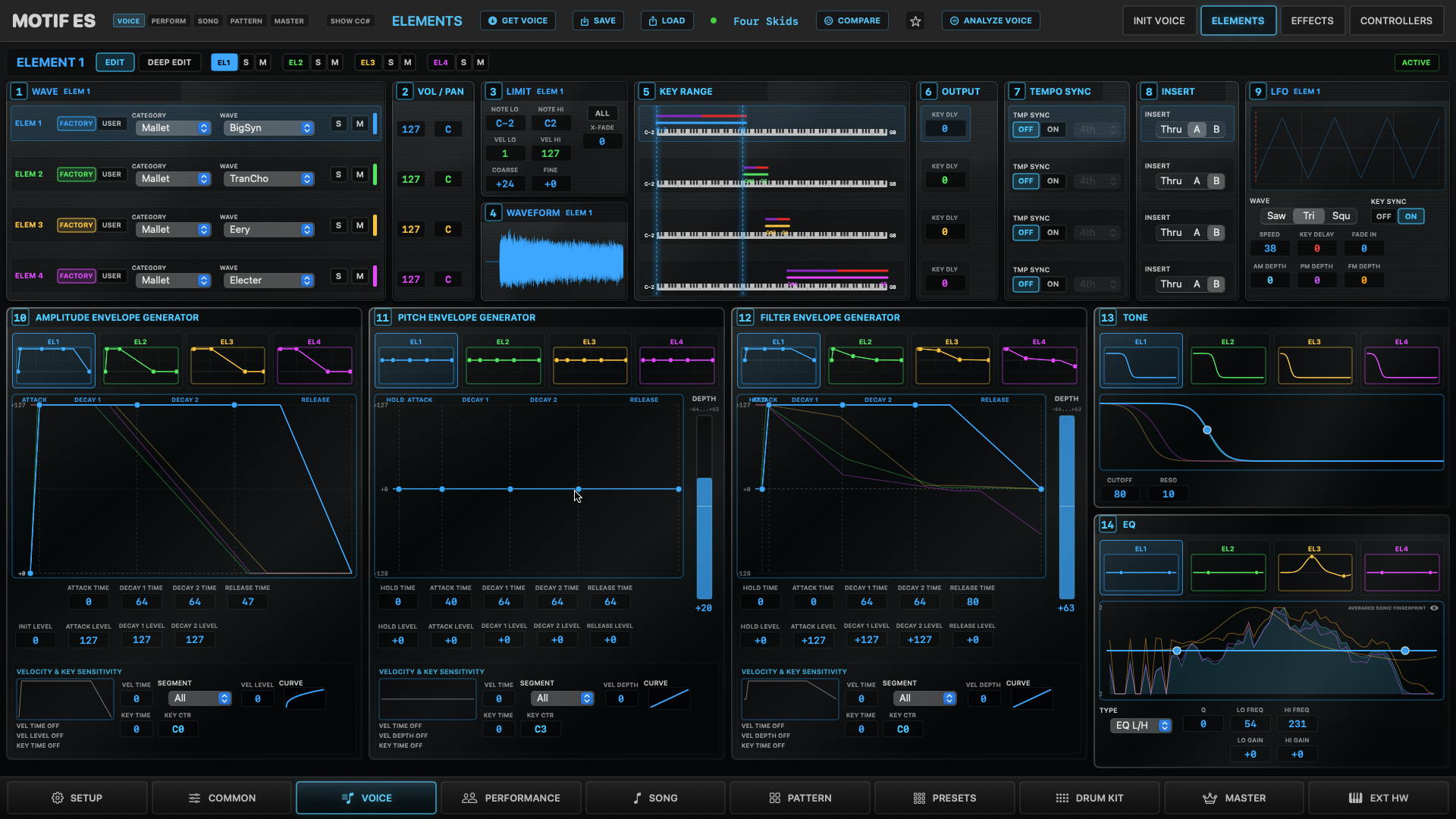
Every knob, fader and switch sends a real parameter change to the Motif as you move it.
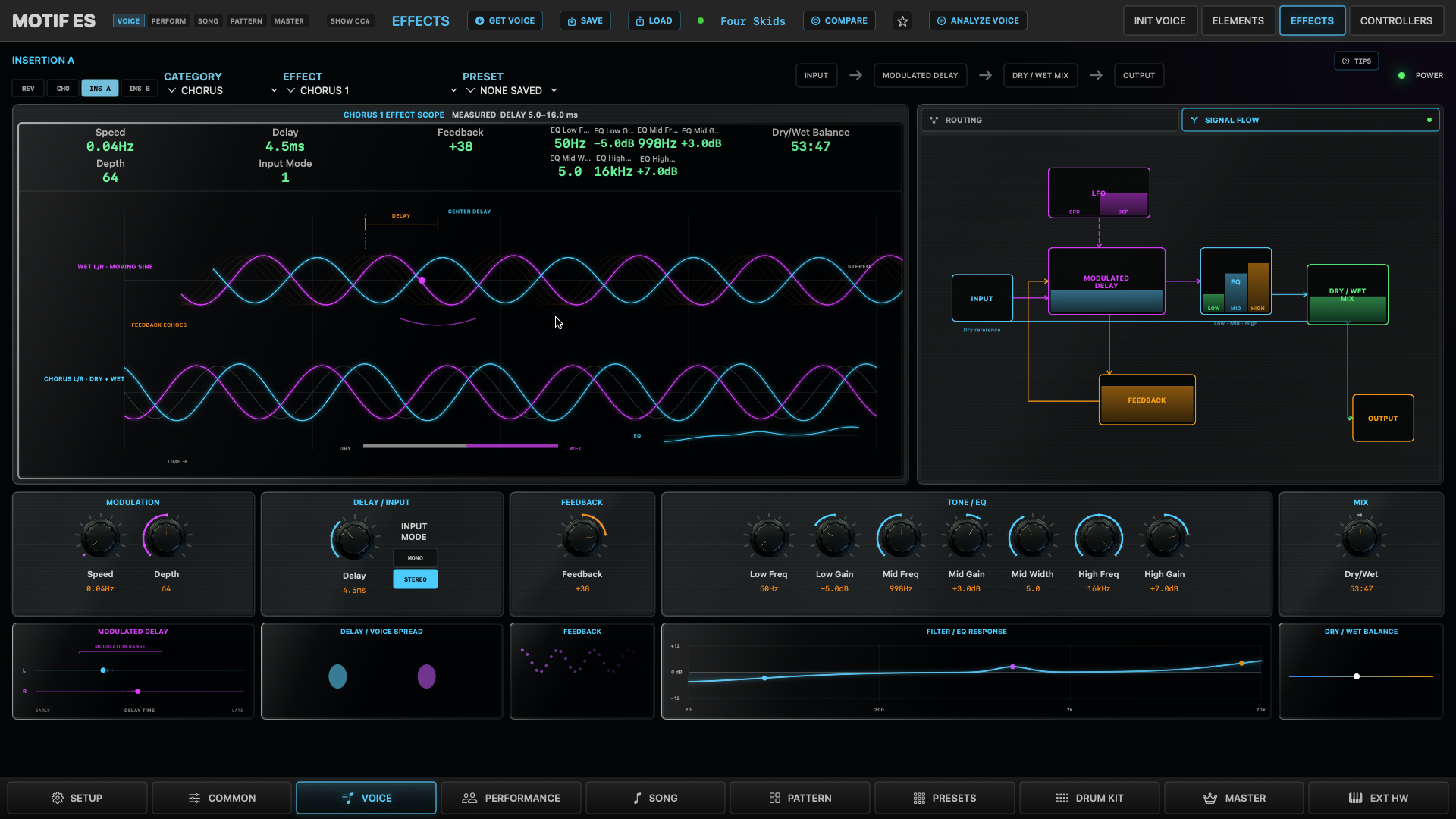
Every effect, measured on the real hardware
All of the Motif ES effect types, from Hall reverbs to Dynamic Ring Modulator. Each console has a large animated scope, and many are driven by readings recorded from a real Motif ES instead of guesses.
Turn any CC into SysEx
Most Motif parameters only answer to SysEx. Map any controller to any on-screen control, or send CC lanes from Logic to the MotifEditor CC Bridge port and automate them.
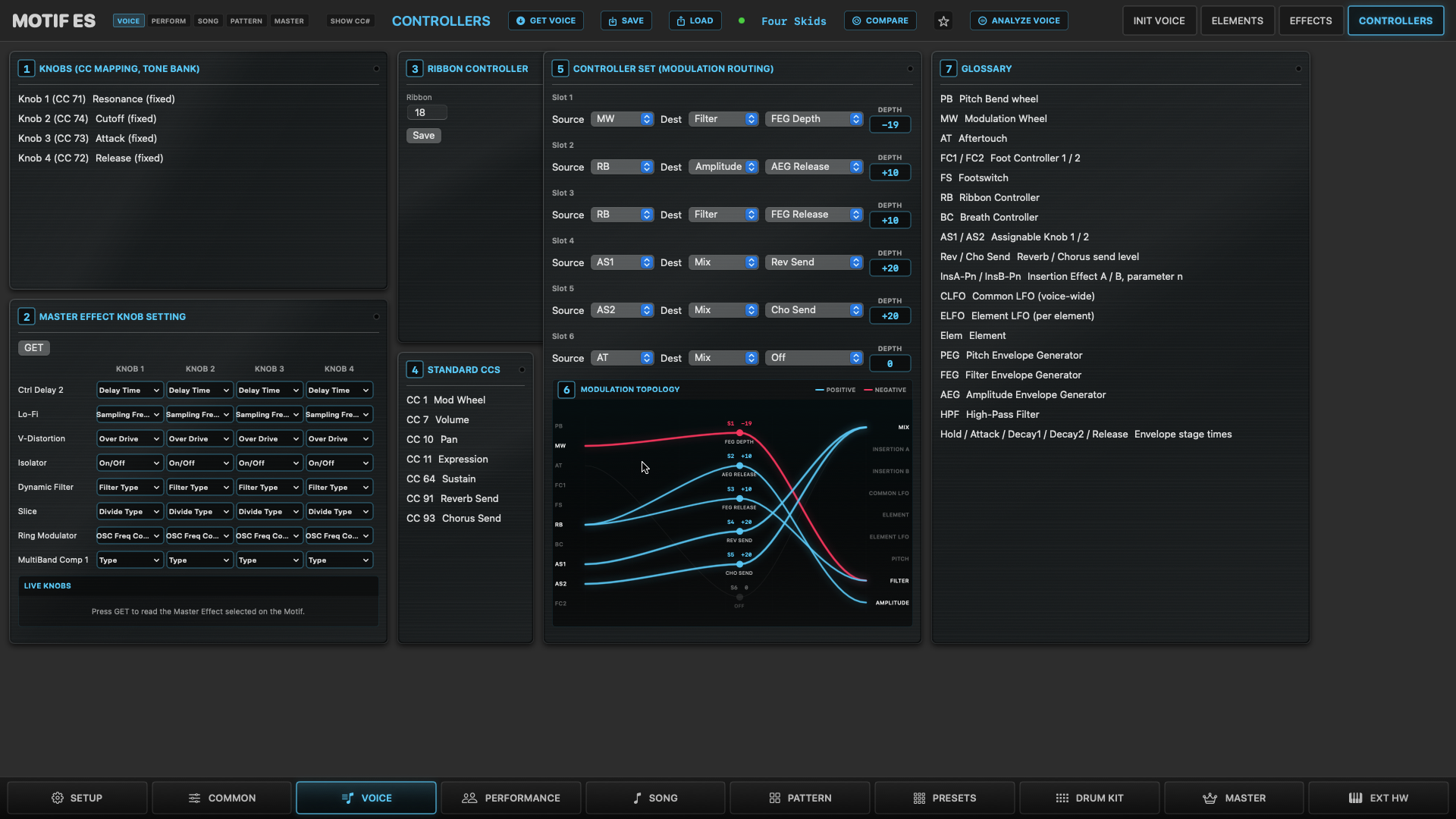
See your modulation
All six Controller Sets drawn as one routing map: blue for positive depth, pink for negative, thicker for more.
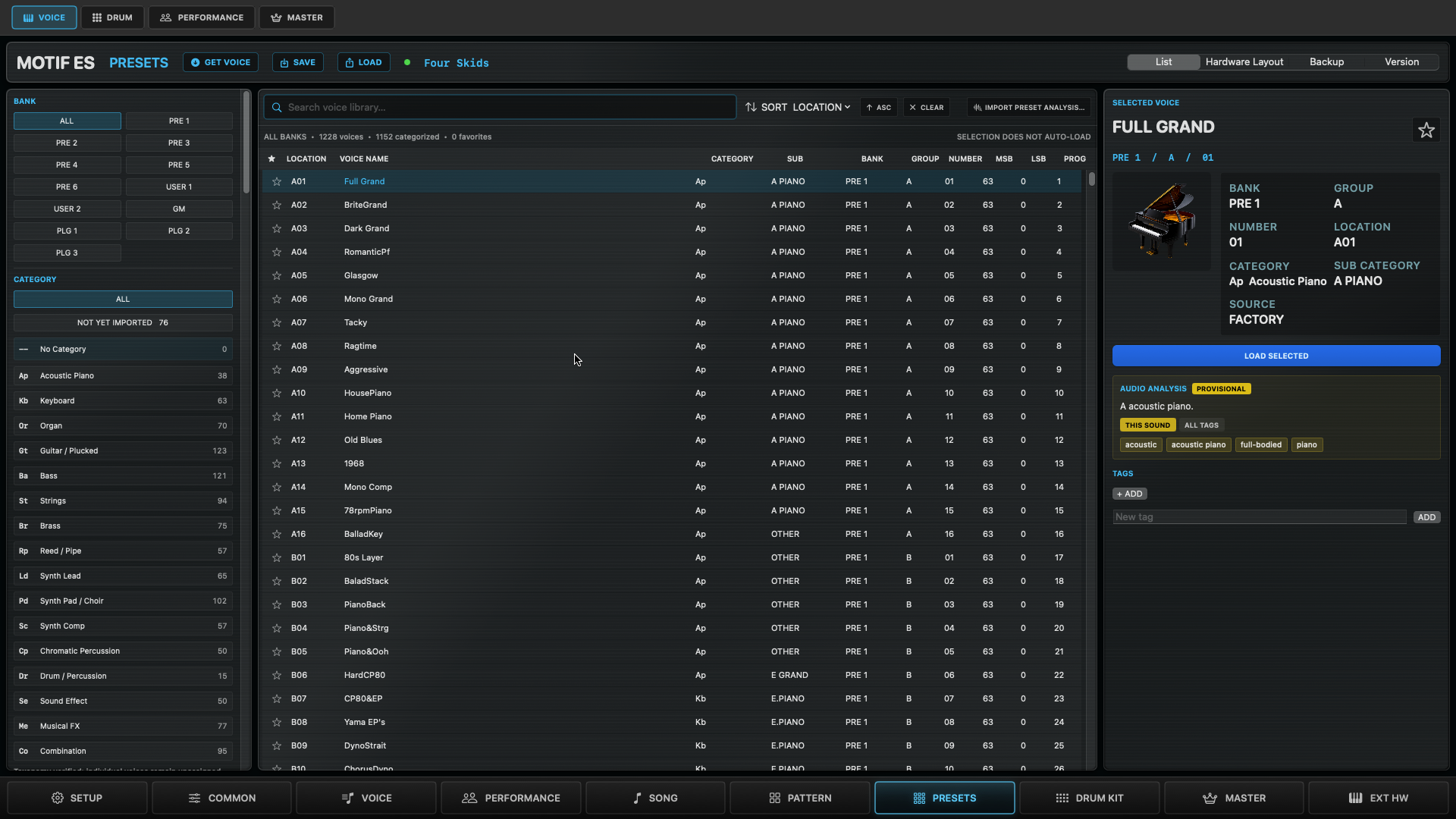
A library that remembers
Filter and search every preset by bank, category and your own tags. Keep a version history of each sound, and back up all 256 User voices in one go.
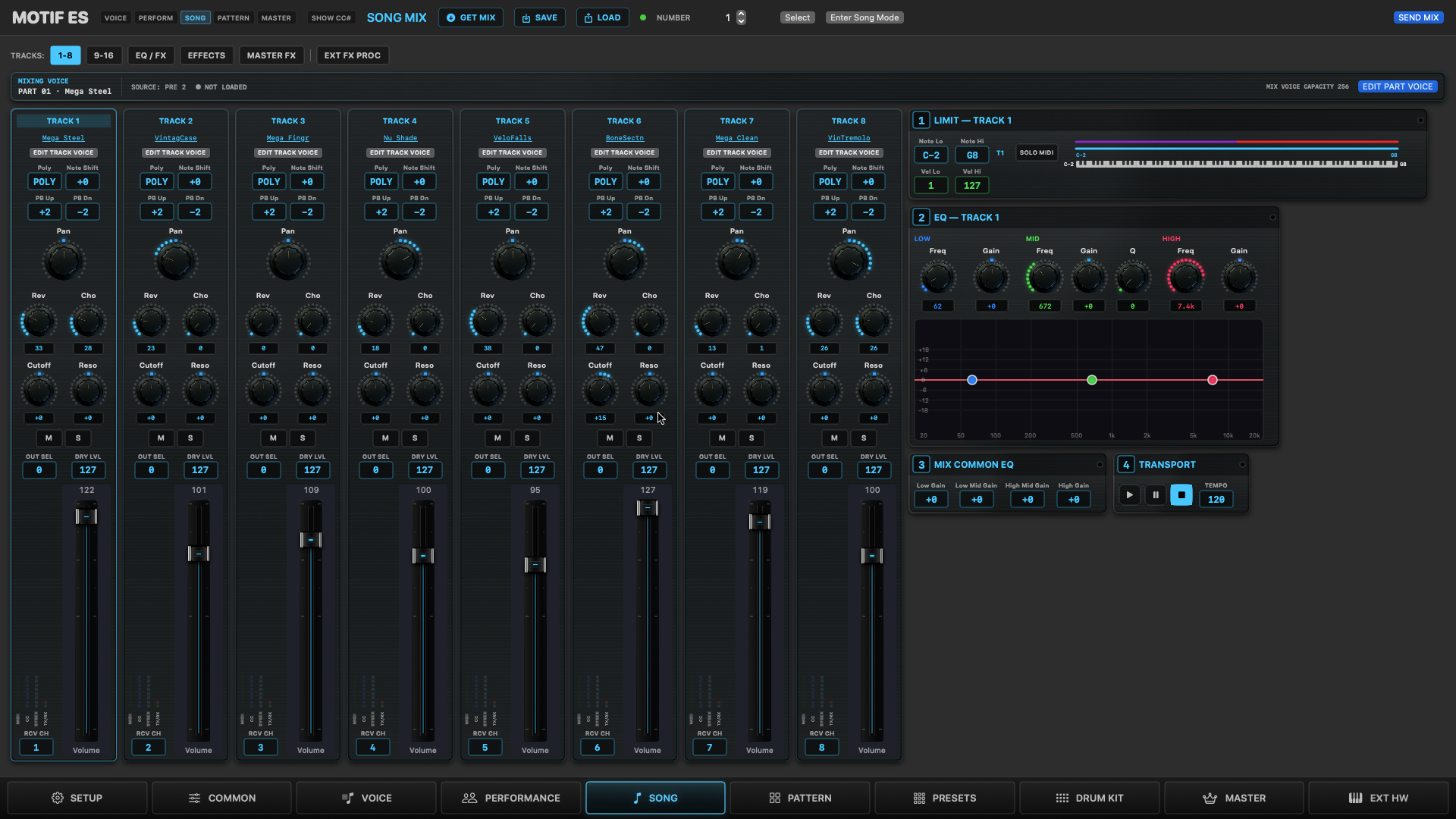
A 16-part mix, live
Channel strips with MIDI activity meters, a transport that sends MIDI clock, and mix scenes to store and recall.
Four elements, one screen
Wave, key range, filter and three envelope generators for every element, each envelope drawn as a graph.
Your whole rig
Edit Master zones for external synths, and keep their patch lists alongside. Import a CSV or a SysEx dump, or request a bank over MIDI.
Tour
One app for every mode of the Motif.
Voice, Performance, Song, Pattern and Master, each on its own page, plus a library for all of them.
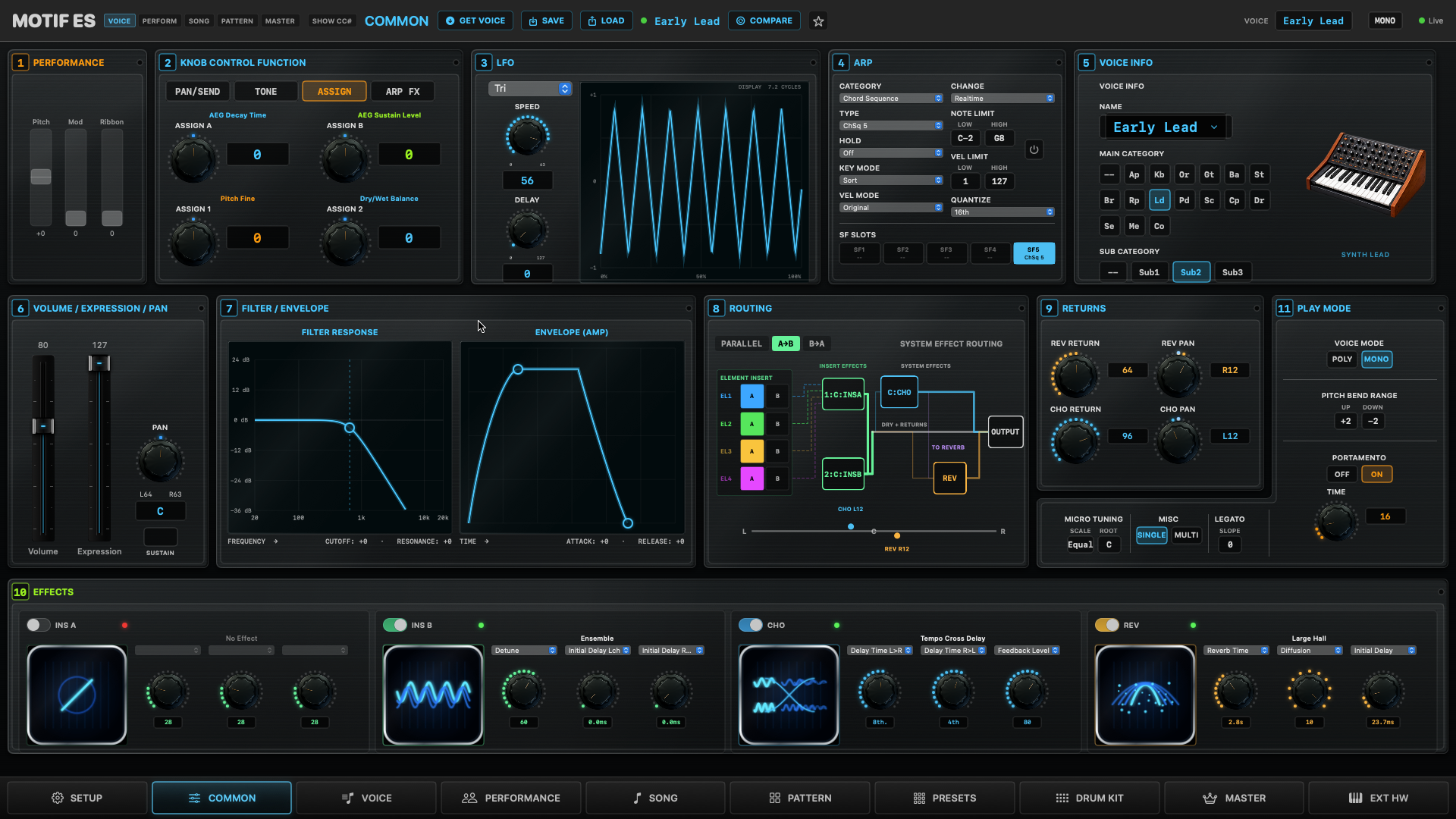
The front panel of the voice
The controls you reach for most on one screen: all four knob-function rows at once, filter and envelope with live graphs, arpeggio, effects routing, micro tuning and voice mode.